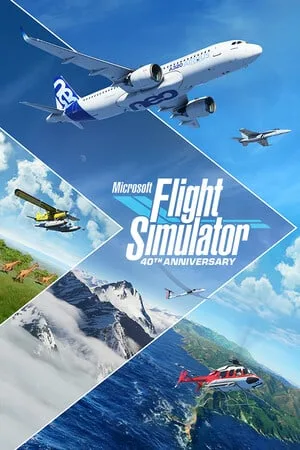
microsoft_flight_simulator.torrent
Version: 1.29.30.0 - Premium Deluxe
Release details
Установка и запуск:
- Релиз протестирован и заработает только на оригинальных ОС Windows 10.
- Загрузка карт по прежнему не работает.
- Доступны все вышедшие самолеты, кроме премиум делюкс.
Требования:
Аккаунт Steam.
Аккаунт MS.
Установленный Steam клиент.
Встроенный и рабочий xbox клиент.
Способ запуска игры осуществляется с помощью GreenLuma.
В торрент файл уже включен взломщик.
Осталось его настроить под себя, для этого открываем файл DLLInjector.ini в MicrosoftFlightSimulator.SteamRipGreenLumaNormalMode и меняем пути на свои, где скачана игра.
И
# Dll to injectDll = D:GamesGreenLumaNormalModeGreenLuma_2020_x86.dll
Сохраняем.
Далее, копируем папку Steam в ваш Steam.
Помещаем папку MicrosoftFlightSimulator в Steamsteamappscommon
Заходим в папку с игрой, далее в HLM_Packages и распаковываем архив Official.zip.
На этом установка закончена.
Возвращаемся в MicrosoftFlightSimulator.SteamRipGreenLumaNormalMode и запускаем DLLInjector.exe
Вводим свой аккаунт Steam.
После запуска Steam, в библиотеке должна появится игра.
Далее:
1. Скачайте архив
2. Перейдите в папку Roaming
Пуск > Выполнить > %UserProfile% > ОК >AppData>Roaming
3. Удаляем папки HOODLUM и Microsoft Flight Simulator
4. С архива переносим Microsoft Flight Simulator в Roaming.
Не копируйте поверх старых файлов.
5. Зайти в папку Microsoft Flight Simulator и отредактировать файл UserCfg.opt указав путь до папки HLM_Packages
Запускаем игру.
После запуска игры, мы видим
Выбираем второй вариант "Continue in normal mode"
Далее появится окошко, где нужно вести аккаунт MS, вводим аккаунт.
Продолжаем, после входа в аккаунт MS, появится окошко
Выбираем "Switch offline".
Настраиваем параметры игры(у меня этого не было, возможно у вас появится предложение настроить игру).
После всех манипуляций и инициализации всех файлов, мы попадаем в главное меню игры.